You are viewing a read-only archive of the Carrion Fields discussion forums built from a snapshot of the forum database on 2026-08-25. The search page works, though it is not as sophisticated as the old forum search. This archive encompasses approximately 25 years of CF discussion. Today, that discussion continues on Discord (see the main website for a link).

Some of the special-purpose forums are listed below along with their replacements (as of writing):


Subject: "CMUD v3 issues" Previous topic | Next topic
Printer-friendly copy Email this topic to a friend CF Website
Top General Discussions Gameplay Topic #70600
Show all folders

TJHuronTue 01-May-18 04:15 PM
Member since 28th Nov 2007
1132 posts
Click to send email to this author Click to send private message to this author Click to add this author to your buddy list
#70600, "CMUD v3 issues"


I've a new computer running windows 10. I installed CMUD v3 on and I can't read any of the windows. They're all too small. Anyone know what the issue is?

I can only find 1 thread on CMUD support and the best answer they could give was to reinstall windows. LOL.


Top

DeathIncarnateTue 01-May-18 04:27 PM
Member since 29th Oct 2005
117 posts
Click to send email to this author Click to send private message to this author Click to view this author's profile Click to add this author to your buddy list
#70601, "RE: CMUD v3 issues"
In response to Reply #0


I use latest version of cmud and in that version click each window in turn and select preferences then styles to chhange font sizes


Top

    
TJHuronTue 01-May-18 04:58 PM
Member since 28th Nov 2007
1132 posts
Click to send email to this author Click to send private message to this author Click to add this author to your buddy list
#70602, "I don't even think I can do that"
In response to Reply #1


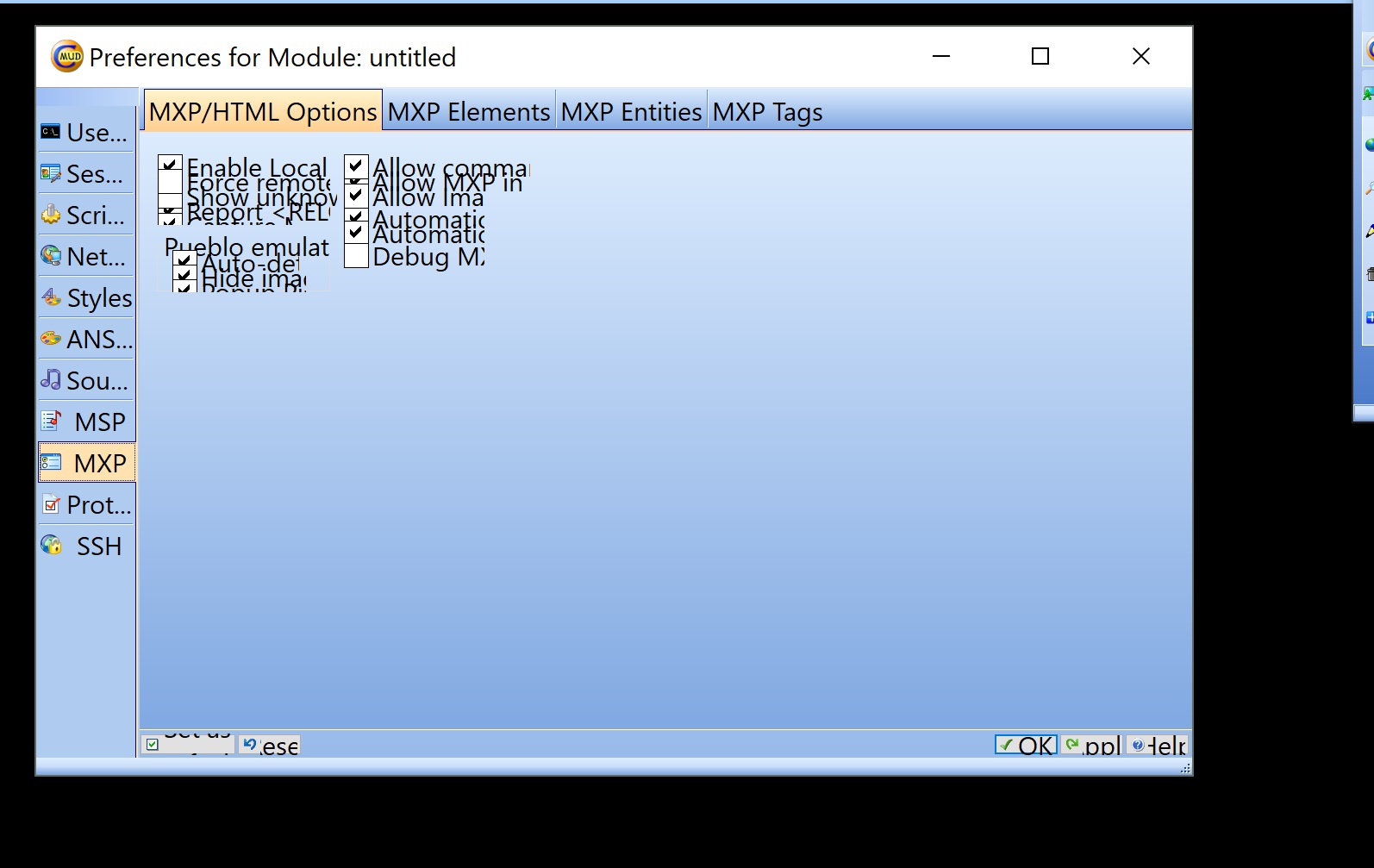
All the texts and options are bunched on top of each other. Even if I try to expand the window.

I tried to upload an example screen shot but just ended up attaching it.

Attachment #1, (jpg file)


Top

        
DeathIncarnateTue 01-May-18 05:32 PM
Member since 29th Oct 2005
117 posts
Click to send email to this author Click to send private message to this author Click to view this author's profile Click to add this author to your buddy list
#70604, "Try this."
In response to Reply #2


Definitely a weird one try going to the shortcut properties then compatibility tab and select dpi scaling and ensure running as administrator too


Top

            
TJHuronTue 01-May-18 08:00 PM
Member since 28th Nov 2007
1132 posts
Click to send email to this author Click to send private message to this author Click to add this author to your buddy list
#70613, "OK, this worked."
In response to Reply #3


The screen is a little bit fuzzier but it works now.

I had to select the dpi scaling for the system not just the application.

Thank you!


Top

Top General Discussions Gameplay Topic #70600 Previous topic | Next topic